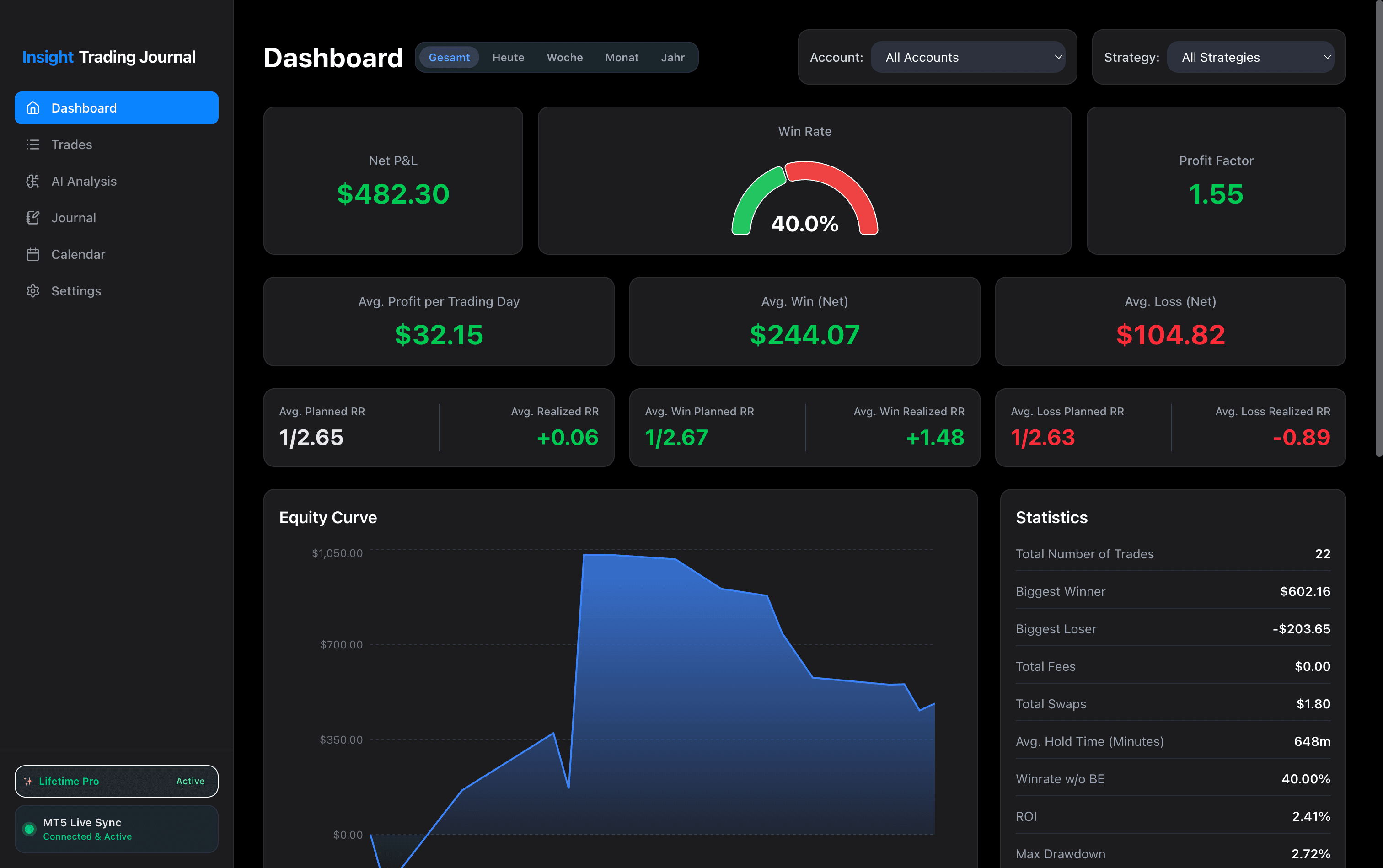
Click image to view in full resolution
Test Every Single Feature for 14 Days
No software can trade for you, but the right tool makes honest self-evaluation effortless. Download the complete app and test how automated tracking, routine journaling, and analytics support your daily decision-making. No credit card, no sign-up required.
Seamless MT5 Integration
Eliminate manual data entry. Our direct MetaTrader 5 integration reads closed positions directly in the background—no file moving, no tedious spreadsheet exports.
- Automatic background sync without moving MT5 files
- Exact accounting for swaps, commissions & net P&L
- Support for multiple accounts & prop firm challenges
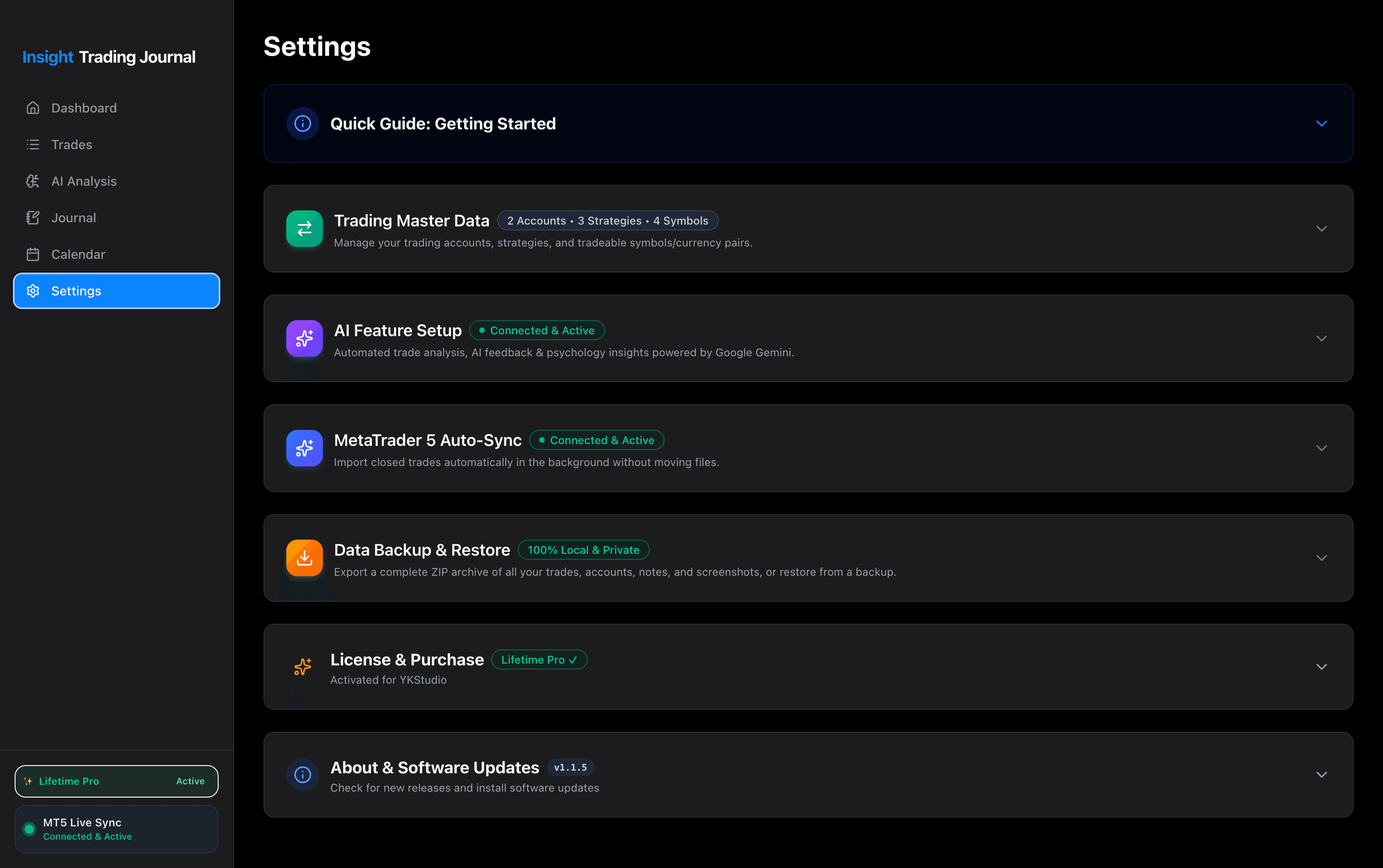
Full preview – Click to enlarge
Track Your Execution Consistency
Numbers on a spreadsheet can hide behavioral patterns. The interactive monthly calendar shows you your green and red days at a glance, helping you spot overtrading and measure consistency over time.
- Daily & weekly performance summaries
- Spot overtrading days and revenge trading immediately
- Filter by individual trading accounts
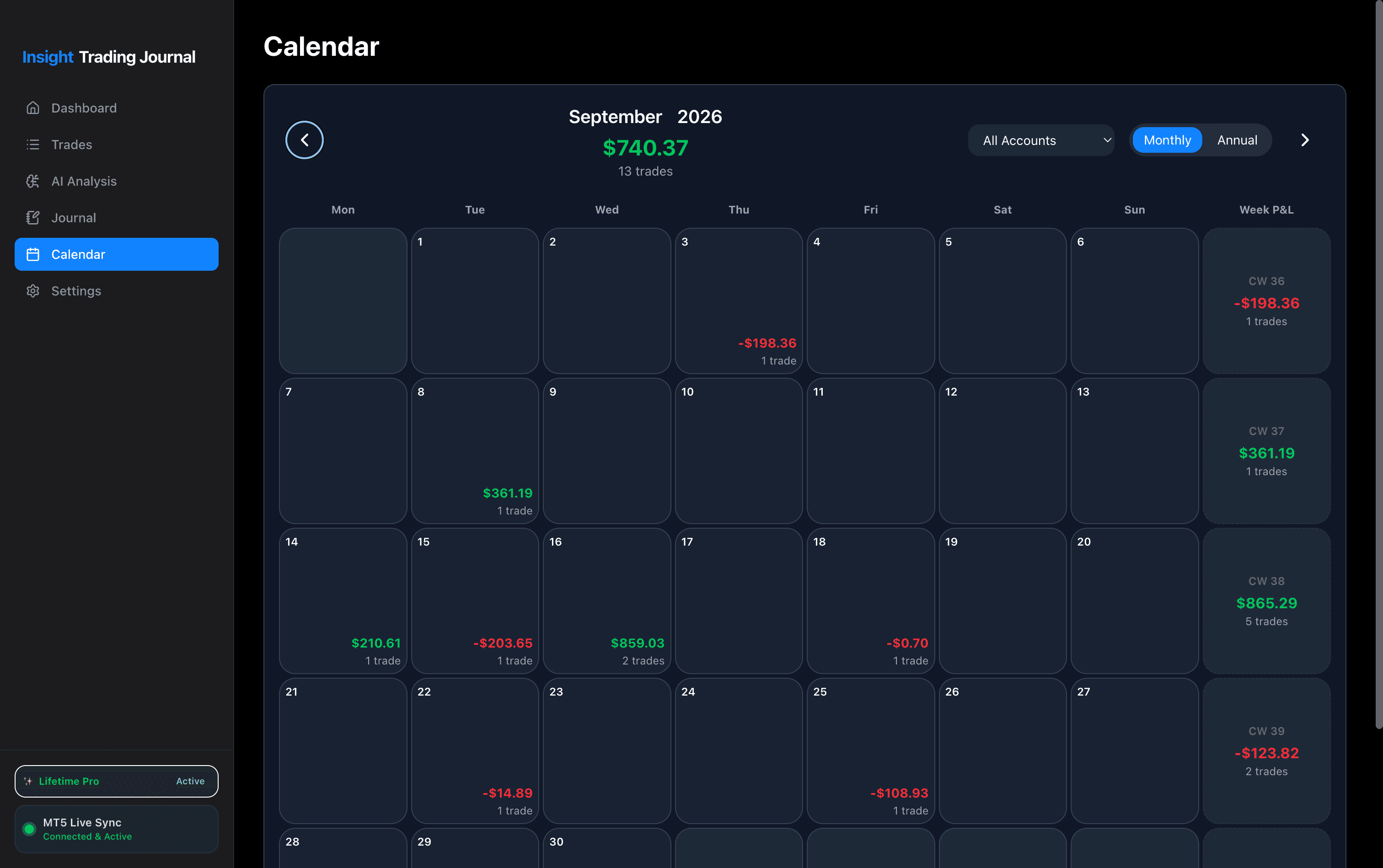
Full preview – Click to enlarge
Objective Pattern Recognition,
Zero Subscriptions
Leverage Google Gemini directly on your machine. The AI Assistant reviews your logged executions to highlight recurring tendencies—such as forcing trades on low-volatility days—and supports your review process with concrete observations.
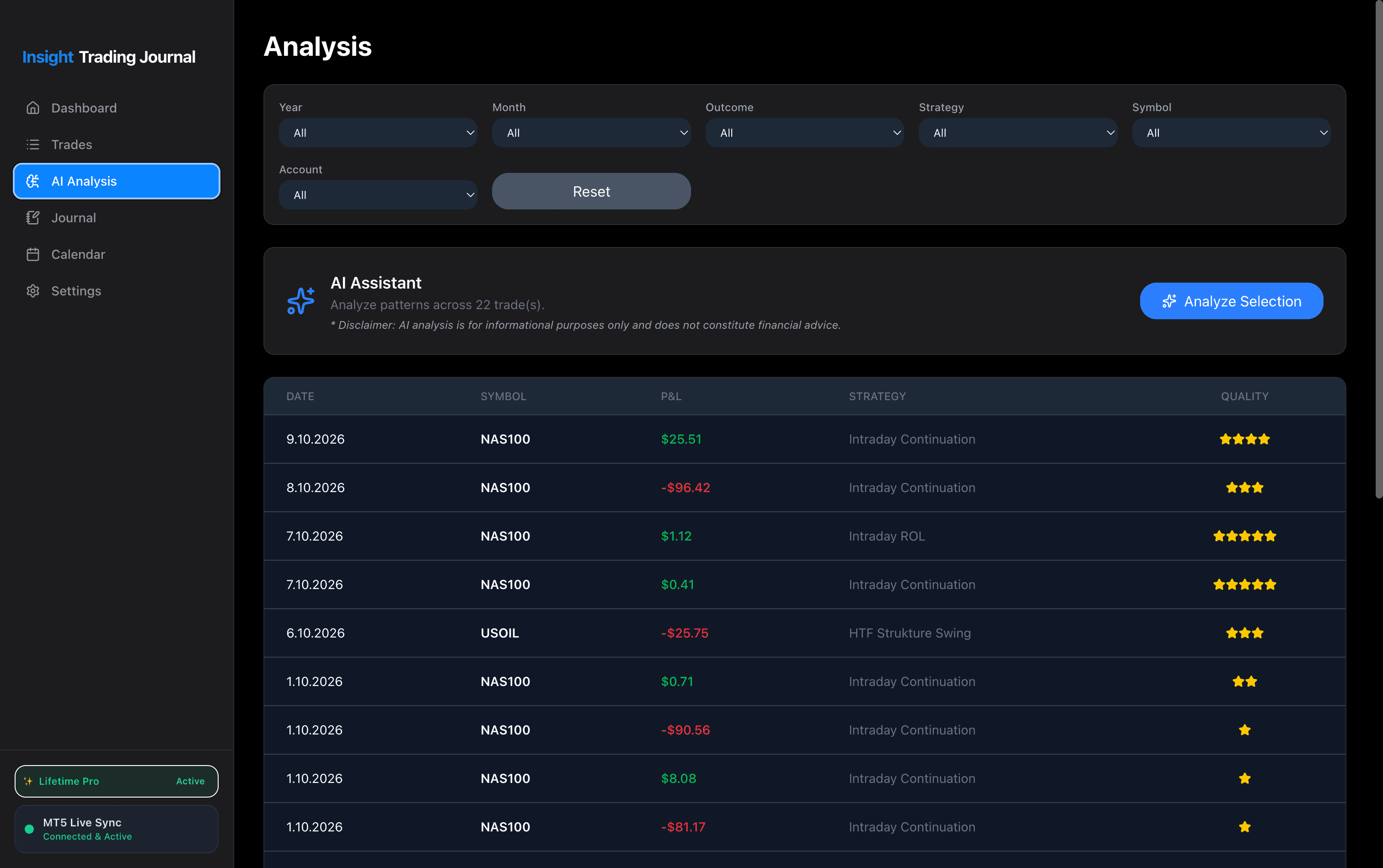
Full preview – Click to enlarge
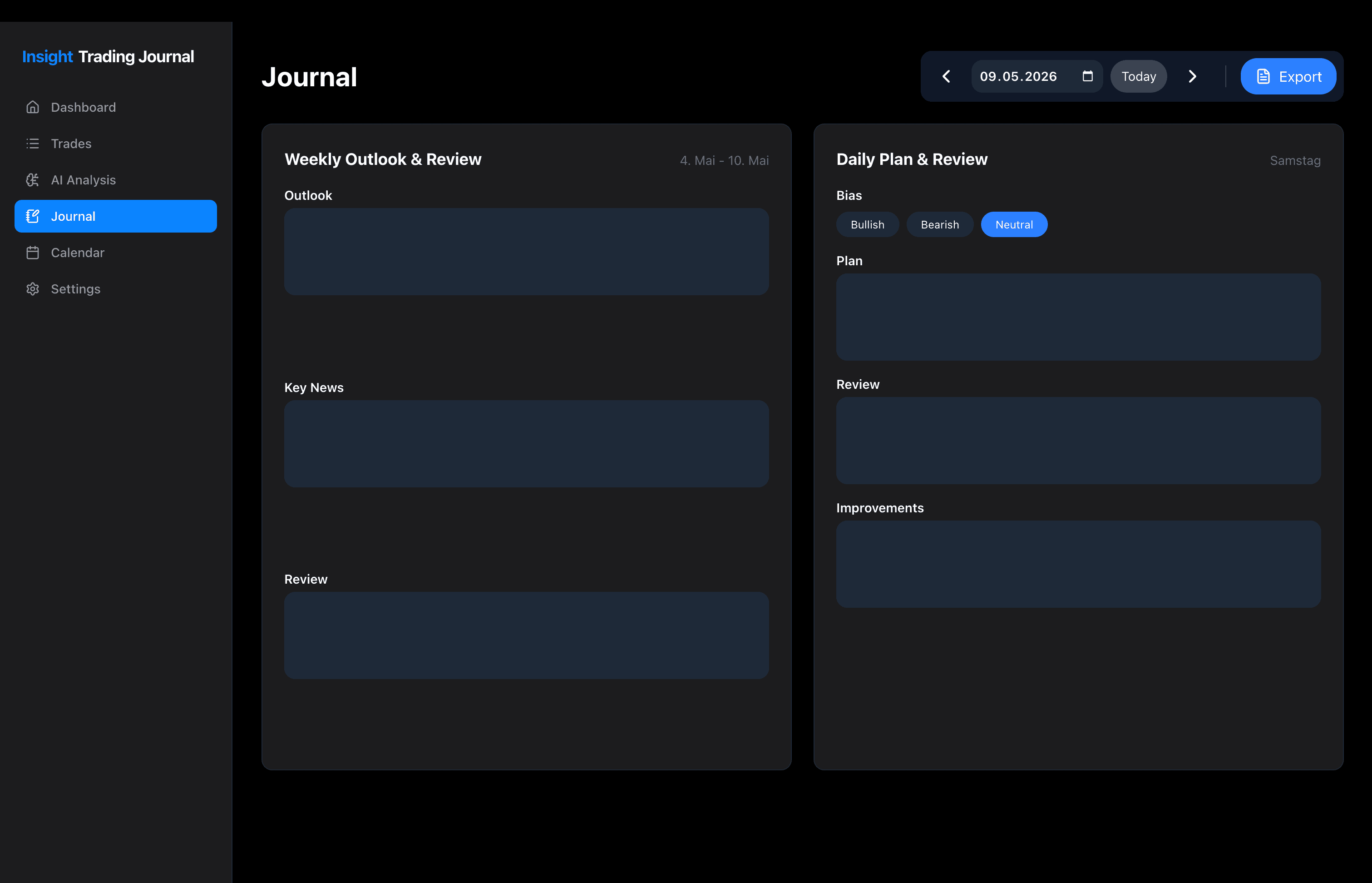
Structured Routine Before Every Session
Clear plans reduce emotional mistakes. Formulate your weekly outlook, set your daily session bias (Bullish, Bearish, or Neutral), attach chart screenshots before & after your trading session, and document improvement notes.
- Pre-market bias planning & weekly outlook
- Upload chart screenshots before & after your session
- Direct data & PDF export for your personal records
Full preview – Click to enlarge
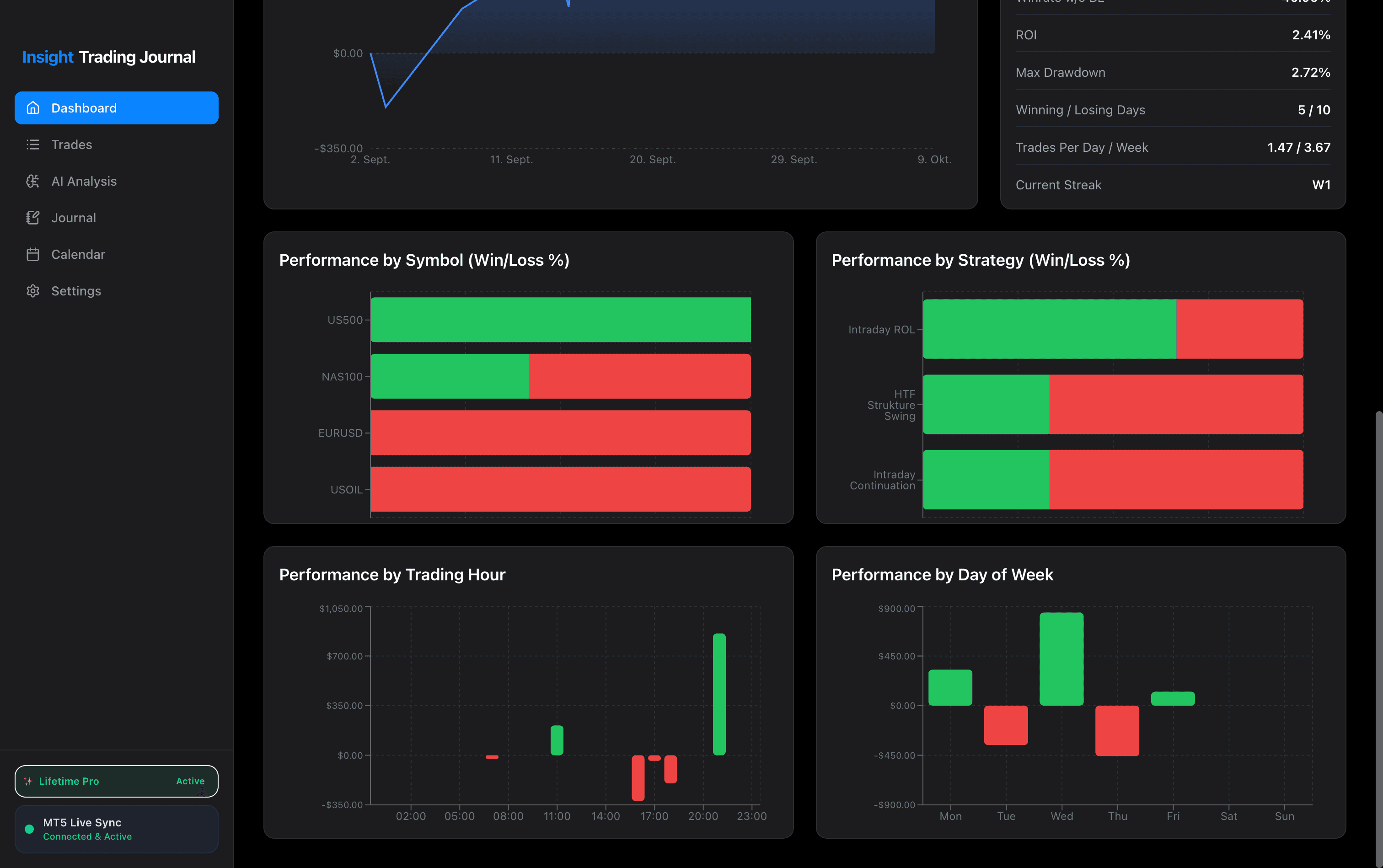
Know Where Your Real Edge Lies
Understand your statistics down to the hour. The analytics engine breaks down your win/loss metrics by trading hour, day of the week, symbol, and specific setup strategy.
- Performance by Trading Hour (London vs. New York session)
- Win/Loss by Symbol (NAS100, US500, EURUSD, USOIL)
- Compare which strategies hold up over time
Full preview – Click to enlarge
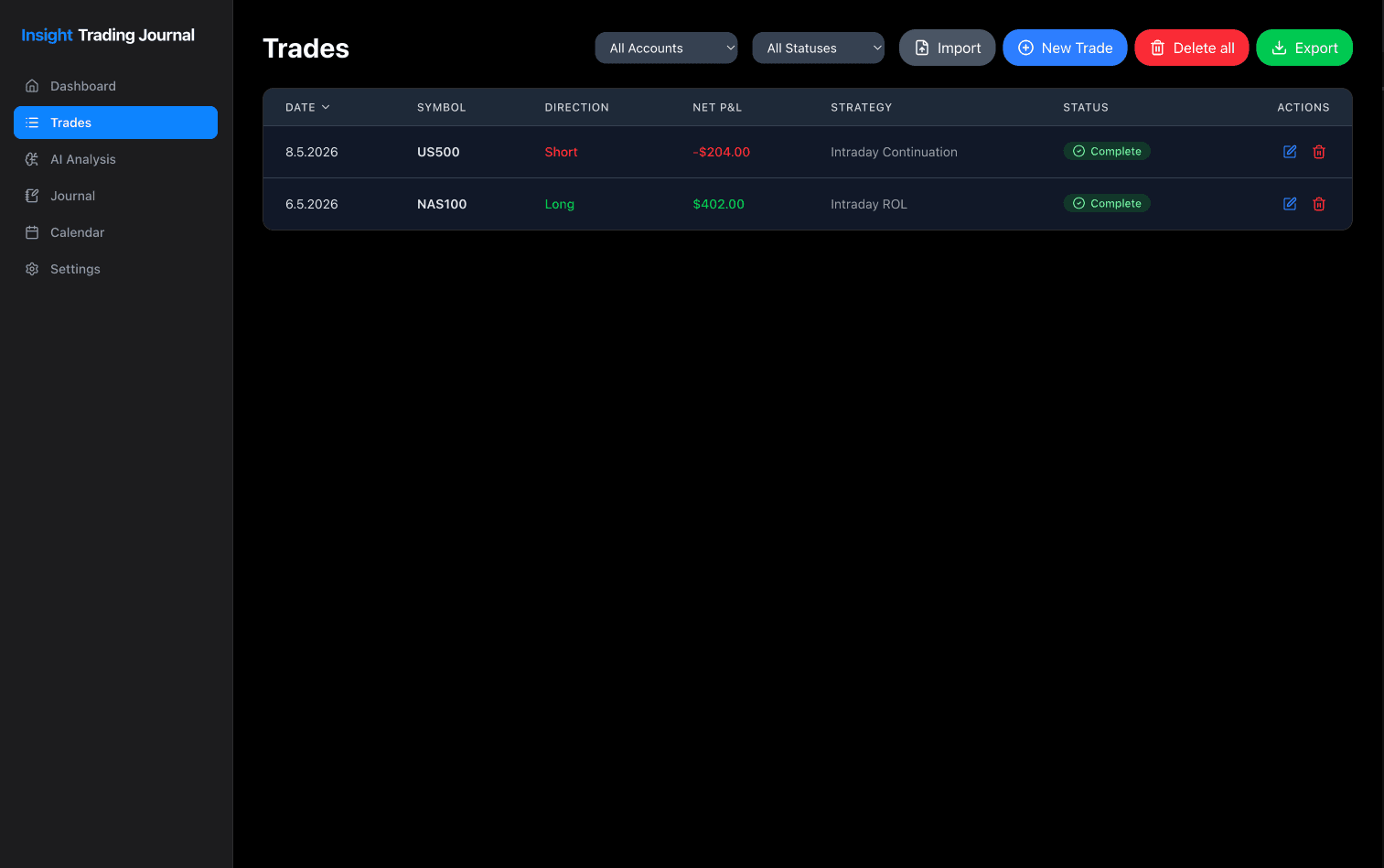
All Logged Trades in One Place
The central overview for all your trades. Whether you log them manually or have them imported automatically via the background MT5 sync, every execution is neatly organized by date, symbol, direction, strategy, and net P&L.
Want to find recurring patterns or psychological mistakes in these trades? You can evaluate your logged executions at any time with a single click under AI Analysis.
- Supports both manual entry and automatic MT5 sync
- Filter by accounts and trade status
- Select and evaluate any batch under AI Analysis
Full preview – Click to enlarge
Try Everything for 14 Days
Experience the complete desktop app with all features unlocked. Test how automated tracking and structured routines support your daily process.
- 14-Day Free Trial with all features unlocked
- Dedicated macOS App (Apple Silicon & Intel)
- Dedicated Windows App (Windows 10 & 11)
- MetaTrader 5 Auto-Sync Integration
- Objective AI Analysis with Google Gemini (BYOK)
- 100% Local & Private (No server tracking)
- All future updates included for free (No upgrade fees)
- No credit card or account sign-up required
Completely risk-free. No credit card required.
Local-First & Zero Subscriptions
Many trading tools lock your journal data behind recurring monthly subscriptions.
Insight Trading Journal operates on a local-first architecture: your database stays entirely on your computer, private and offline-capable.
After testing the app for 14 days, you can choose to unlock lifetime access with a single permanent license directly inside the app. No recurring monthly fees.
✨ Free Lifetime Updates Included
Once activated, you automatically receive all future features, tools, and performance updates at zero additional cost.
Frequently Asked Questions
Do I need to enter payment details to start the trial?
No. You can download and use all features completely free for 14 days without entering credit card details or creating an account.
How do I purchase the app after my trial?
Once your 14-day trial period concludes, the app will conveniently guide you to our secure checkout where you can purchase a lifetime license key. Once entered, the app unlocks forever without losing any of your logged trades or notes.
Are all future software updates included?
Yes, 100%. When you purchase a lifetime license, all future updates, new features, and improvements are completely free. You will never be asked to pay an annual upgrade fee.
Does this app guarantee that I become profitable?
No software can guarantee profitability or replace disciplined risk management. Insight Trading Journal is built to support you: it eliminates manual work through automated MT5 sync, provides clear objective analytics, and helps you maintain a structured pre- and post-session routine.
Can I transfer my license to a new computer?
Yes. Each license key activates one device. Because the app is local-first to guarantee 100% data privacy, your journal lives on that machine. If you upgrade to a new Mac or switch to another computer, you can easily transfer your license key and migrate your data using the built-in backup & restore feature.
Does one license work for both macOS and Windows?
Yes, 100%. Your lifetime license key is cross-platform and valid for both macOS and Windows. If you ever switch computers or operating systems, you can simply transfer your license key and migrate your data with zero hassle at zero extra cost.
Why does Windows SmartScreen show a notice when installing?
Because Insight is a freshly released desktop application, Microsoft SmartScreen hasn't built up automated community reputation yet. This is standard for newly published independent software. Simply click “More info” and then “Run anyway” to launch the installer safely. Insight is 100% private, local-first, and contains zero adware or telemetry.
Is my trading data private?
Yes, 100%. All your trades, account numbers, notes, and screenshots are stored locally on your machine. YK Studio has zero access to your data.
Have a Feature Request?
Insight Trading Journal is built for real traders. Missing a specific metric, broker connection, or workflow tool? Send your suggestion and help shape future updates.
Suggest a Feature→Direct developer inbox • No automated bot replies